Operating Instructions
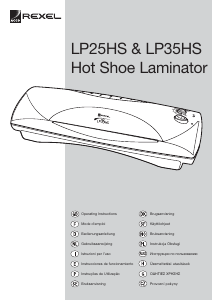
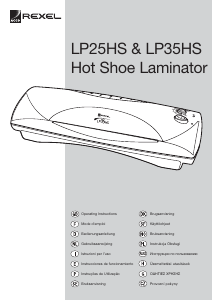
LP 25HS (A4) LP 35HS (A3)
A. Power Switch / Reverse Switch
B ‘On’ light
C. ‘Ready’ light
D. Pouch/temperature setting
E. Entry Slot
F. Entry Guides
G. Exit slot
H. Release button
IMPORTANT SAFEGUARDS
When using electrical appliances, basic
precautions should always be followed to reduce
the risk of electric shock and injury, including the
following:
1. Carefully read all instructions
2. Always unplug the appliance when not in use
or before cleaning.
3. Extreme caution to be taken when appliance
is used by, or near to, children or invalids.
4. To protect against risk of electrical hazards,
do not immerse power cord, plug, or
appliance in water or other liquids.
5. Do not insert any metal objects, e.g. scissors,
or foreign objects into the entry or exit areas
of the machine. Do not laminate metallic
objects.
6. Do not operate the appliance with a damaged
power cord or plug, or after the appliance
malfunctions, has been dropped or is
damaged in any manner.
7. The plug on the power cord is the disconnect
device.
8. The equipment should be installed near the
outlet socket and the socket should be easily
accessible.
OPERATION
Before you use your LP Laminating machine for
the first time, it is recommended that you
familiarise yourself with the machine’s operation
and controls. Check the results using a range of
sample sheets of paper before laminating your
valuable original documents.
IMPORTANT
1. It is important that you do not use a Carrier
with this machine. This can result in the
laminator becoming jammed or failing to run.
This is an operator fault and is not covered
by a manufacturer’s warranty. (A carrier is
made from folded card and is supplied with
most packs of pouches).
2. Do not attempt to laminate items which are
too thick for your laminator i.e. the total
thickness including the pouch must not
exceed 1.0mm.
HOT LAMINATING
1. Plug the laminator into a convenient power
socket
2. Switch on the power switch ( I ) , the Red
light will illuminate to indicate that the power
is on
3. Select the appropriate temperature/pouch
setting for the thickness of pouch.
4. The laminator will pre-heat for approximately
3-4 minutes.
5. Whilst the laminator is pre heating, you can
prepare your item to be laminated by placing
it centrally into the correct sized pouch,
leaving the sealed edge intact.
6. When the required temperature is reached the
Green light will come on.
7. Gently insert the pouch, sealed edge first,
squarely between the entry guides into the
front of the laminator until it engages with
automatic feed rollers.
8. The pouch will move through the unit and exit
at rear.
9. During the laminating process the Green light
may go off as heat is absorbed by the
laminate. Always wait until the Green light is
on before laminating your next document.
10. Always turn your laminator OFF after use. (O).
REVERSE FUNCTION
CAUTION: Do not try to force the pouch
into the laminator or try to pull the pouch out.
This will damage (and could break) the laminator
as well as not allowing for proper processing of
the laminating pouch.
There is a reverse feature included on the on/off
button (A) of the machine. If you need to retrieve
a document during lamination:
1. Press the reverse button.
2. With the other hand gently hold the pouch
and document.
3. If the pouch has gone completely into the
machine and is not sticking out of the front or
back, there is nothing you can do. Do not try
to open the machine. This can be dangerous
and will invalidate the warranty.
PHOTO LAMINATING
1. Your Rexel LP Laminator will laminate
photographs without the need for special
pouches. Photographs have a sealed plastic
surface that can produce disappointing
results on some laminators as the adhesive
will show as bubbles on the surface of the
photograph.
2. Heavily coloured inkjet copies and varnished
printed pages will also have excellent results
on this laminator with standard pouches.
COLD LAMINATING
1. Select cold setting on the temperature dial.
2. Use ‘cold’ or ‘self-seal’ pouches
3. Remember, when the machine is cold the
temperature is correct to process ‘cold’ or
‘self-seal’ pouches. The green ready light
does not illuminate for the cold setting.
CAUTION: Remember if you have been hot
laminating and then wish to Cold laminate the
machine will have to cool for at least 1 hour
before laminating can commence. Never use
‘self-seal’ pouches on a hot setting, as they will
be spoilt along with the document inside.
HELPFUL HINTS
1. The hot lamination process achieves the
required result by bonding into the surface of
your document. Once you have laminated
your document it cannot be retrieved
2. Do not attempt to hot laminate heat sensitive
documents such as thermal paper, wax
based inks etc.
3. If the laminated document has a milky
appearance, you may need to process it
again at a higher temperature
4. If the laminated document is ridged and hard
it has probably been laminated too hot, and
you should put other laminates through at a
lower setting.
5. If in doubt, start at a lower temperature and if
the laminate does not bond to the document
(appears cloudy) then repeat using a higher
temperature.
6. If air pockets develop during processing, use
a small sharp needle or pin to gently
puncture pockets and process again.
7. Do not handle the inside of the laminating
pouch moisture from your hands could impair
the processing quality.
CARE AND CLEANING
This personal laminator is for low volume use
only. No servicing other than external cleaning
should be performed on the machine. Do not
immerse in water.
To reduce risk of electric shock, do not
remove the base.
• Never clean with scouring powders or hand
implements.
• Wipe clean with a soft cloth
SERVICE AND REPAIRS
Do not attempt to repair the machine
yourself as there are no serviceable
components within the machine.
Never open up the machine
Repair should only be carried out by an
authorised service representative.
TECHNICAL SPECIFICATION
WARRANTY
This machine is guaranteed for 24 months from
the date of purchase – Rexel will repair or replace
the laminator at their discretion
This does not affect your statutory rights.
Please contact your supplier if you experience
any problems.
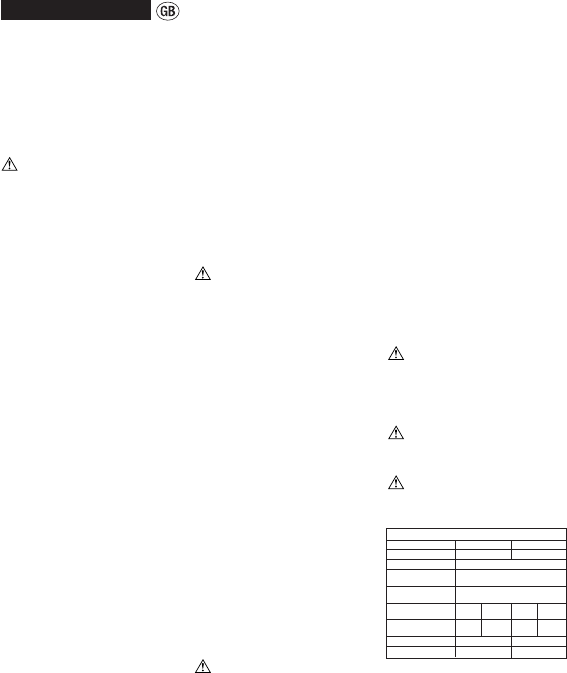
Technical Specifications
Model LP25HS LP35HS
Maximum Pouch Size A4 /9" A3 / 12"
Minimum Pouch Size Credit card size (54x86mm)
Maximum Pouch Pouch sizes up to A7 =
Thickness 2 x180 (360) micron / 7 mil
Maximum Pouch Pouch sizes above A7 =
Thickness 2 x180 (360) micron / 7 mil
Power Supply 230V 115V 230V 115V
50Hz 60Hz 50Hz 60Hz
Maximum Power 600W 600W 650W 600W
Consumption
Weight 5.2 kg 6.4 kg
Packed Weight 6.29 kg 7.49 kg


Λάβετε μέρος στη συζήτηση σχετικά με αυτό το προϊόν
Εδώ μπορείτε να μοιραστείτε τη γνώμη σας για το Acco LP35HS Ελασματοποιητής. Εάν έχετε κάποια ερώτηση, διαβάστε πρώτα προσεκτικά το εγχειρίδιο. Το να ζητήσετε ένα εγχειρίδιο μπορεί να γίνει χρησιμοποιώντας τη φόρμα επικοινωνίας μας.
απάντηση | Αυτό ήταν χρήσιμο (9) (Μεταφράστηκε από την Google)
απάντηση | Αυτό ήταν χρήσιμο (2) (Μεταφράστηκε από την Google)